
Easy Merge
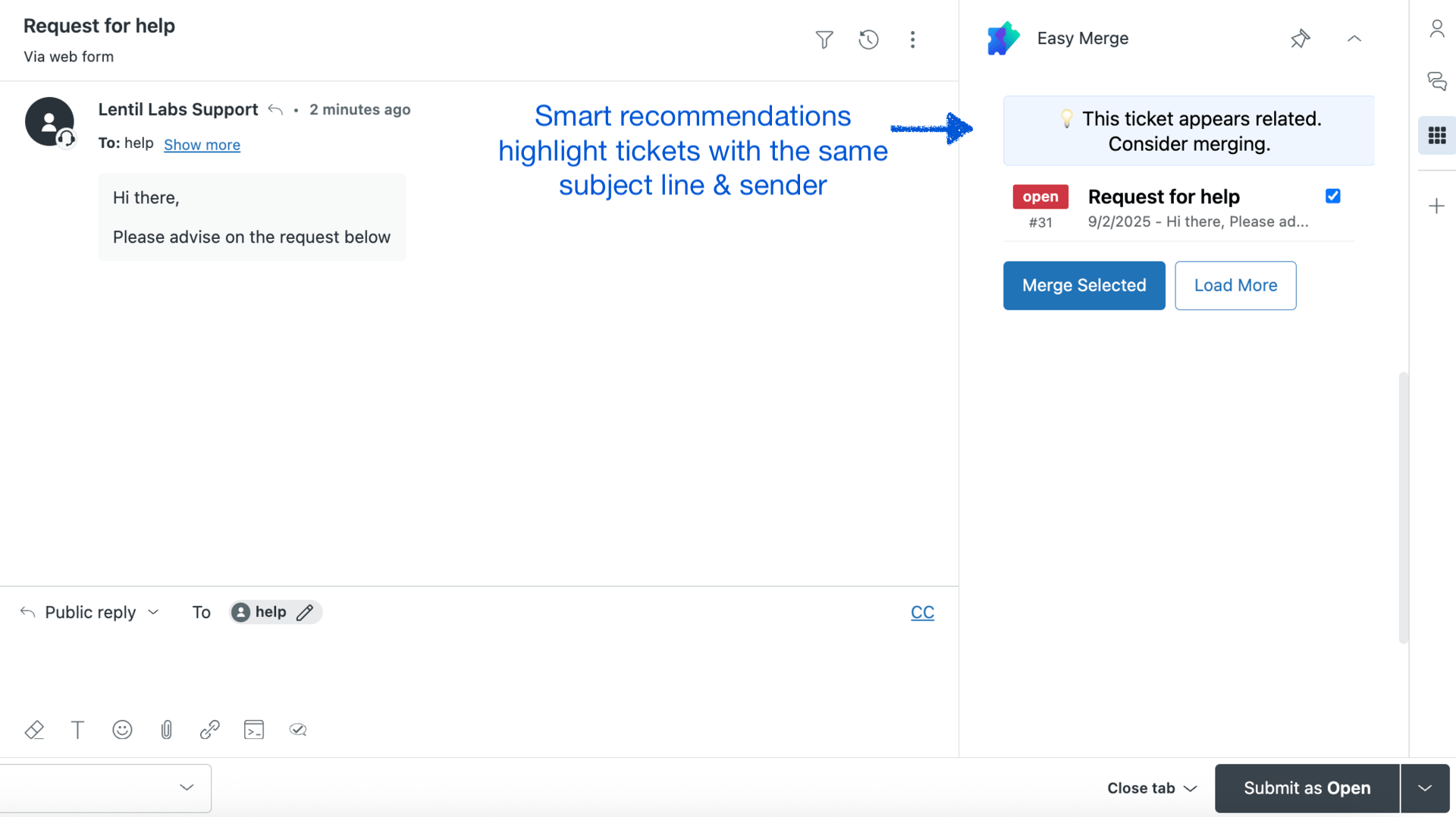
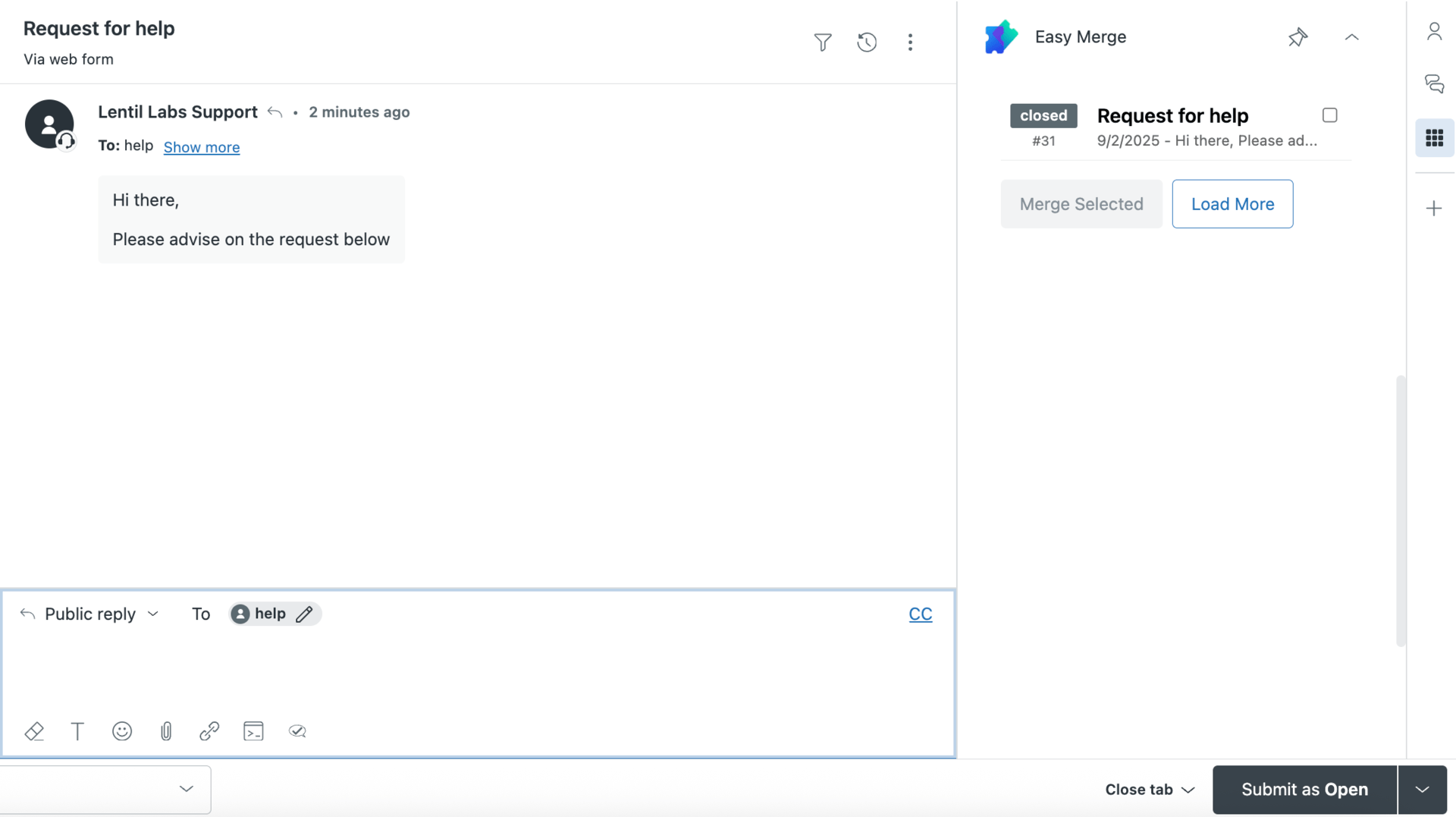
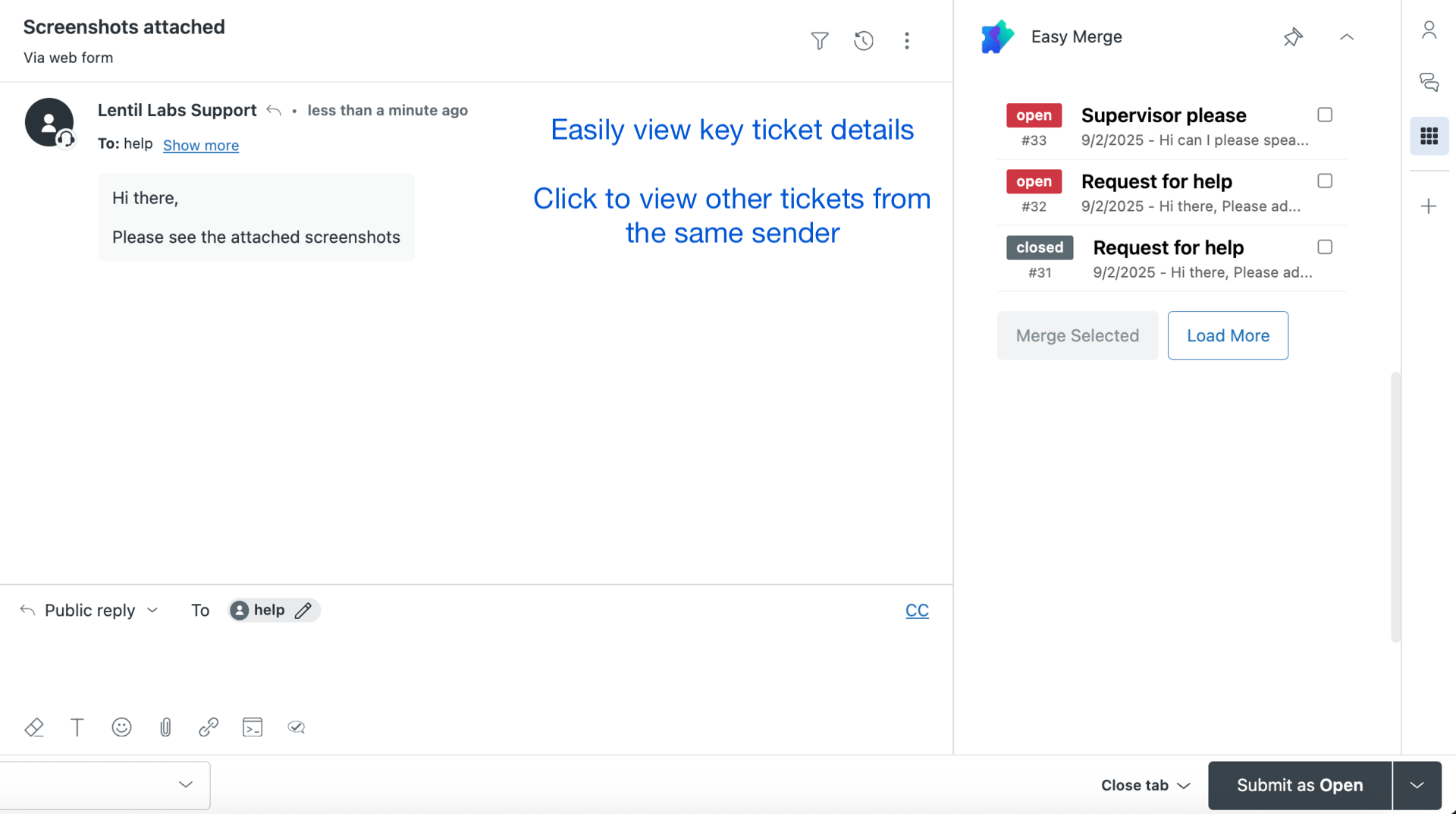
Highlight duplicate Zendesk tickets and merge with confidence. Easy Merge ensures agents stay in control, avoiding accidental merges and customer confusion.
Install from Zendesk MarketplacePain Points with Default Zendesk Merging
- The default merge uses a public comment which can email your customer if an agent forgets to unselect the box.
- Merging a ticket manually takes a minimum of 5 clicks but can take up to 10 in complex cases.
- Automatic merges can accidentally combine unrelated tickets, causing confusion and lost context.
- Tracking merged tickets across reports is difficult without a clear interface highlighting duplicates.
Why Agents Love Easy Merge
🖐 Agent in Control
Duplicates are highlighted, not automatically merged, giving agents full control and preventing errors.
🚀 Faster Workflow
Reduce clicks and streamline the merge process while keeping context intact.
✅ Accurate Merging
Ensure only related tickets are merged, avoiding confusion and unnecessary notifications to customers.
📊 Reporting & Visibility
Highlighted duplicates make it easy to track merge activity and audit tickets for compliance and workflow efficiency.
⚡ Simple UI
Intuitive design allows agents to start merging immediately without training.
Assisted vs Automatic Merging
| Feature | Automatic Merge | Assisted Merge (Easy Merge) |
|---|---|---|
| Agent Control | No - tickets merge automatically | Yes - duplicates highlighted, agent approves merge |
| Customer Notifications | High risk of accidental email notifications | Low risk - agent can manage public comments |
| Accuracy | Can merge unrelated tickets | Only suggested duplicates highlighted |
| Clicks Required | Minimal, but risky | 5-10 clicks, safe and verified |
Learn more about assisted vs automatic merging in Zendesk and why keeping agents in control is the winning strategy.
See Easy Merge in Action
Ready to Reduce Errors and Boost Efficiency?
Install Easy Merge and empower your agents to merge duplicate tickets safely.
Install Easy Merge Today