How to Merge Tickets in Zendesk Without Hurting Your Customers
How to Merge Tickets in Zendesk (Manual, Assisted, and Automated Methods)
Duplicate tickets are one of the most common problems in Zendesk. Customers follow up through multiple channels, reply before agents respond, or submit the same request more than once. The result is fragmented conversations, wasted agent effort, and inaccurate reporting.
In this guide, you will learn how to merge tickets in Zendesk, the limitations of Zendesk’s native merge workflow, the risks of fully automatic ticket merging, and why assisted ticket merging is the safest and most scalable approach.
What Does It Mean to Merge Tickets in Zendesk?
Merging tickets in Zendesk means combining two or more related tickets into a single primary ticket.
When tickets are merged:
- Public comments from duplicate tickets are added to the primary ticket
- Duplicate tickets are closed
- Agents retain full customer context in one place
Support teams merge tickets to reduce duplicate work, improve reporting accuracy, and deliver a consistent customer experience.
How to Merge Tickets in Zendesk Manually
Zendesk includes a native manual ticket merge feature that agents can use directly in the ticket interface.
Manual Ticket Merge Steps
- Open the ticket you want to keep as the primary ticket
- Click the ticket options menu
- Select the ticket you want to merge into the primary ticket
- Review the merge details and confirm
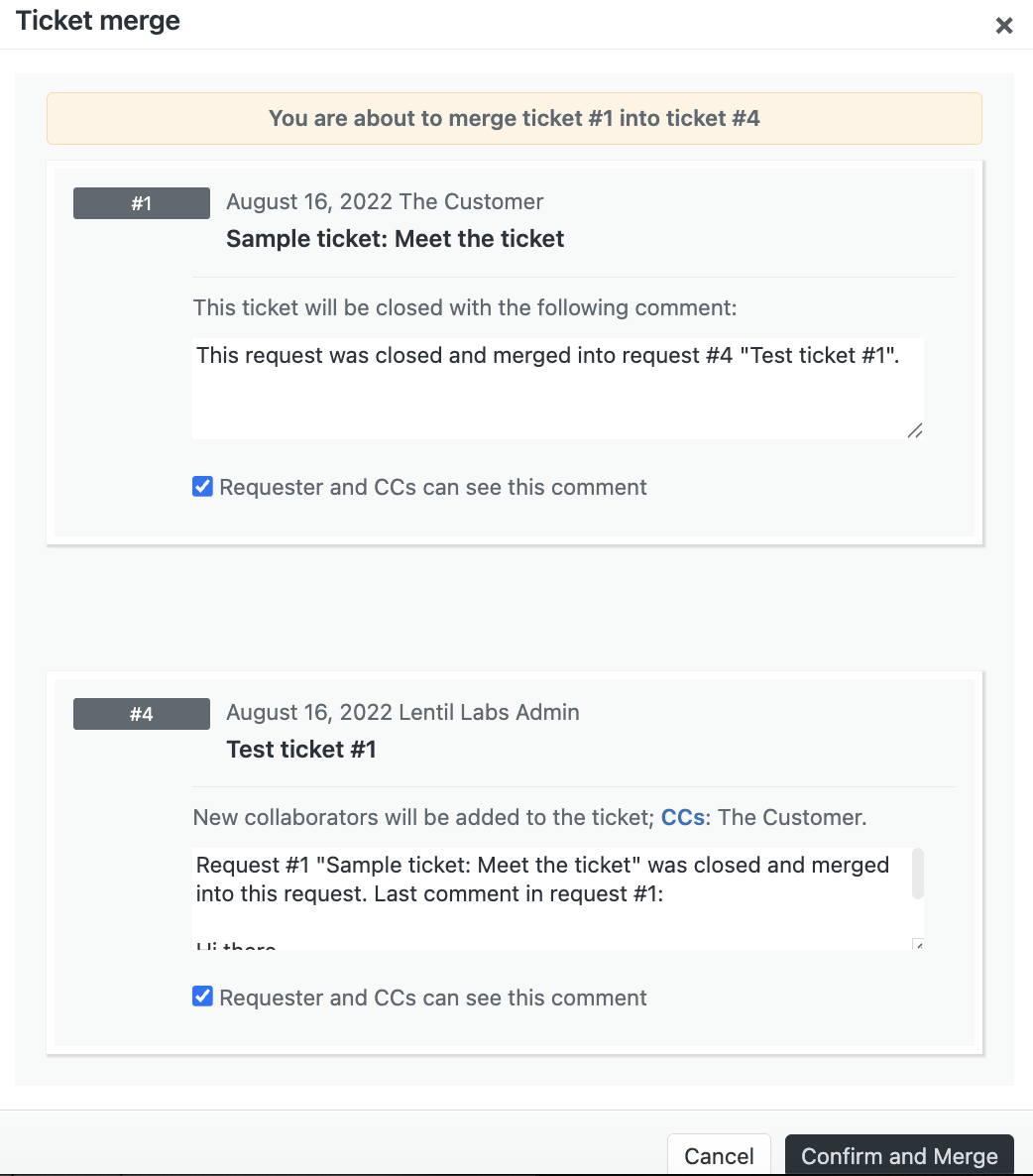
Manual merging works for small teams with low volume, but it becomes inefficient as ticket volume grows.
Pain Points With Zendesk’s Native Merge Workflow
Zendesk’s built in merge feature has several common issues that impact both agents and customers.
Public Notifications Can Be Sent by Accident
By default, Zendesk adds a public comment when a ticket is merged. If an agent forgets to uncheck this option, the customer receives an unexpected email stating their ticket was merged.
Too Many Clicks Per Merge
Merging a ticket often requires multiple clicks and field confirmations. During busy periods, this slows agents down and increases the risk of mistakes.
Duplicate Tickets Are Easy to Miss
Agents must manually detect duplicates. During incidents or high volume periods, duplicates are often missed entirely.
These issues lead teams to explore automation.
Important Warning: Ticket Merges Cannot Be Undone
Once tickets are merged in Zendesk, the action is permanent.
- Merged tickets cannot be separated
- Closed duplicate tickets cannot be restored individually
- Incorrect merges must be corrected manually
Because merges are irreversible, accuracy matters more than speed.
Can Zendesk Merge Tickets Automatically?
Zendesk does not support automatic ticket merging natively.
Some marketplace apps attempt to automatically merge tickets using rules such as matching requester, subject, or custom fields. While this may sound efficient, it introduces serious operational risk.
The Risks of Fully Automatic Ticket Merging
Automatic merging without human review can cause long term problems:
- Unrelated tickets merged incorrectly
- Loss of important customer context
- Broken reporting and audit trails
- Reduced agent trust in workflows
- Compliance risk in regulated environments
Once an incorrect merge happens, it cannot be reversed.
A Better Solution: Assisted Ticket Merging
Assisted ticket merging combines automation with human judgment.
Instead of automatically merging tickets, the system identifies likely duplicates and highlights them for agent review. Agents make the final decision.
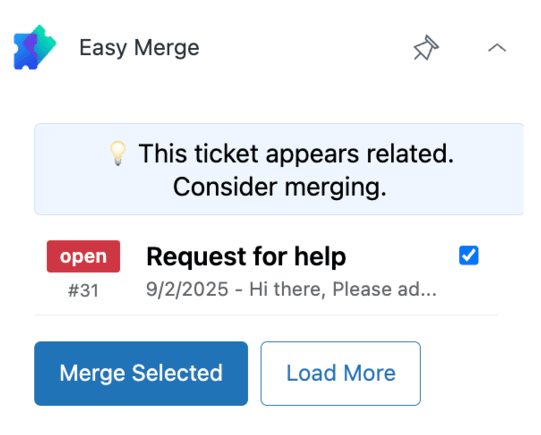
This approach improves efficiency without introducing irreversible errors.
How Easy Merge Works in Zendesk
Easy Merge does not automatically merge tickets.
It highlights tickets that should be reviewed for merging directly inside Zendesk. Agents stay in control and confirm merges only when appropriate.
This prevents false positives while still reducing duplicate ticket volume.
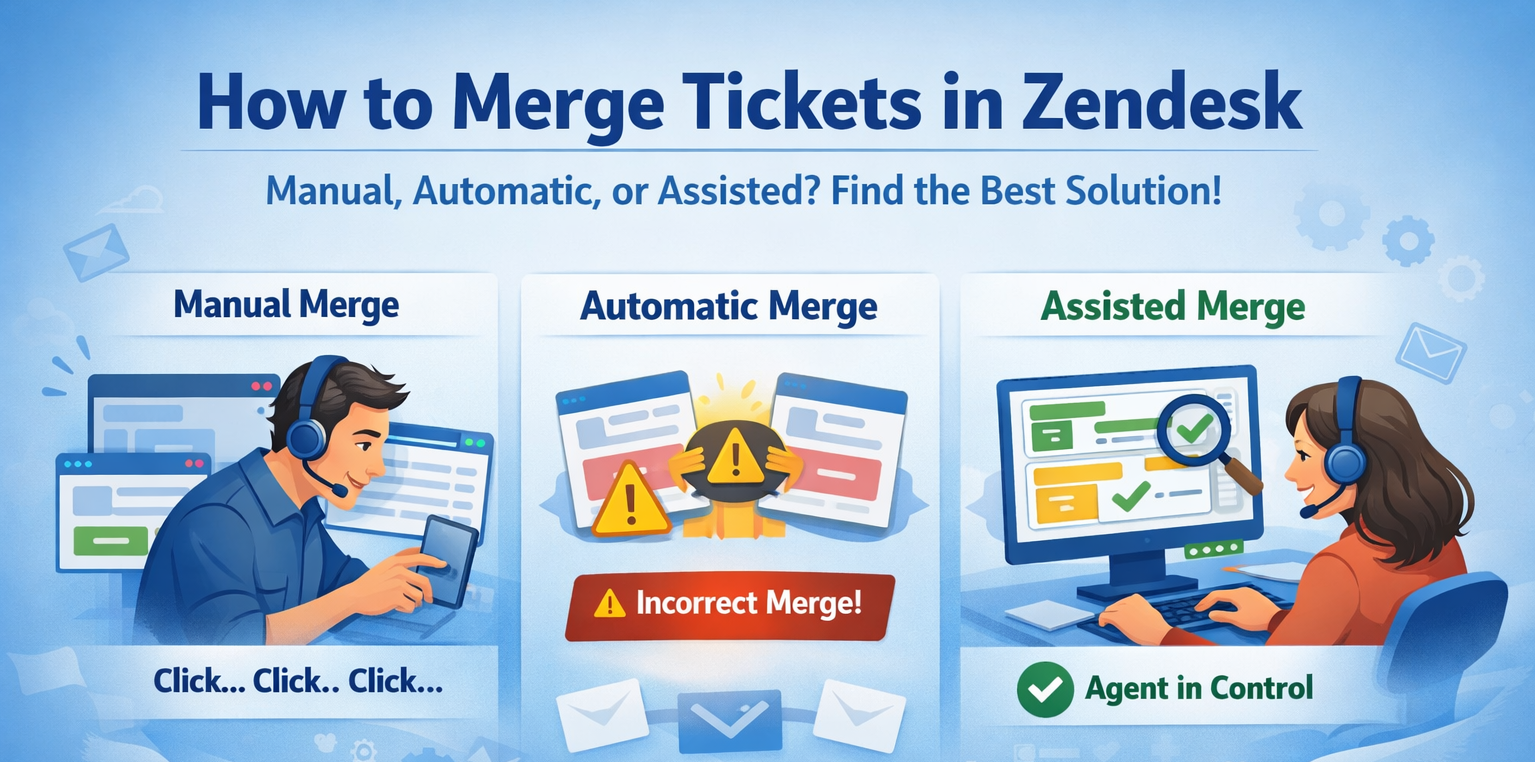
Manual vs Automatic vs Assisted Ticket Merging
| Approach | How it works | Benefits | Risks |
|---|---|---|---|
| Manual merging | Agents find and merge tickets manually | Full control | Slow, inconsistent, easy to miss duplicates |
| Automatic merging | Tickets merged automatically based on rules | Minimal effort | High risk of incorrect merges |
| Assisted merging | System flags duplicates, agent confirms | Safe, scalable, trusted | Requires agent confirmation |
When Assisted Merging Works Best
Duplicate Follow Ups
Customers resend emails if they do not get a fast response. Assisted merging surfaces these tickets instantly.
Multi Channel Requests
Customers contact support through email, web forms, or chat. Assisted merging keeps context unified.
High Volume Events
During outages or launches, duplicate tickets spike. Assisted merging ensures nothing slips through.
Best Practices for Merging Tickets in Zendesk
- Keep agents in control of merge decisions
- Avoid blind automation
- Train teams on when to merge and when not to
- Periodically review merge behavior and outcomes
Assisted merging scales without sacrificing accuracy.
Frequently Asked Questions
How do I merge tickets in Zendesk?
You can merge tickets manually using Zendesk’s built in merge feature or use an app like Easy Merge to highlight tickets that should be merged.
Does Zendesk automatically merge tickets?
No. Zendesk does not automatically merge tickets.
Can merged Zendesk tickets be unmerged?
No. Once tickets are merged, the action is permanent.
Does Easy Merge automatically merge tickets?
No. Easy Merge highlights duplicate tickets and lets agents decide whether to merge them.
Why not fully automate ticket merging?
Because incorrect merges are irreversible and can damage customer trust and reporting. Assisted merging provides efficiency with safety.
Final Thoughts
Merging tickets in Zendesk is essential for efficient support operations, but the approach matters.
- Manual merging does not scale
- Fully automatic merging introduces risk
- Assisted merging balances speed and accuracy
Easy Merge helps teams reduce duplicate tickets while keeping agents in control.